
[kemono] [kino] [marecock]
vintage story horse & frens "rp" mods
mod downloads
place to seethe @ me
information
[kemono] = base character library with horses and animal people
[kino] = addon framework for rp interactions, dialogues, npcs, networking. contains no actual content.
[marecock] = horse penises in block game??? required on server and client. players must manually install it client side to consent to participate and see interactions. NSFW 18+ !!!!!11
[kino] interactions guide
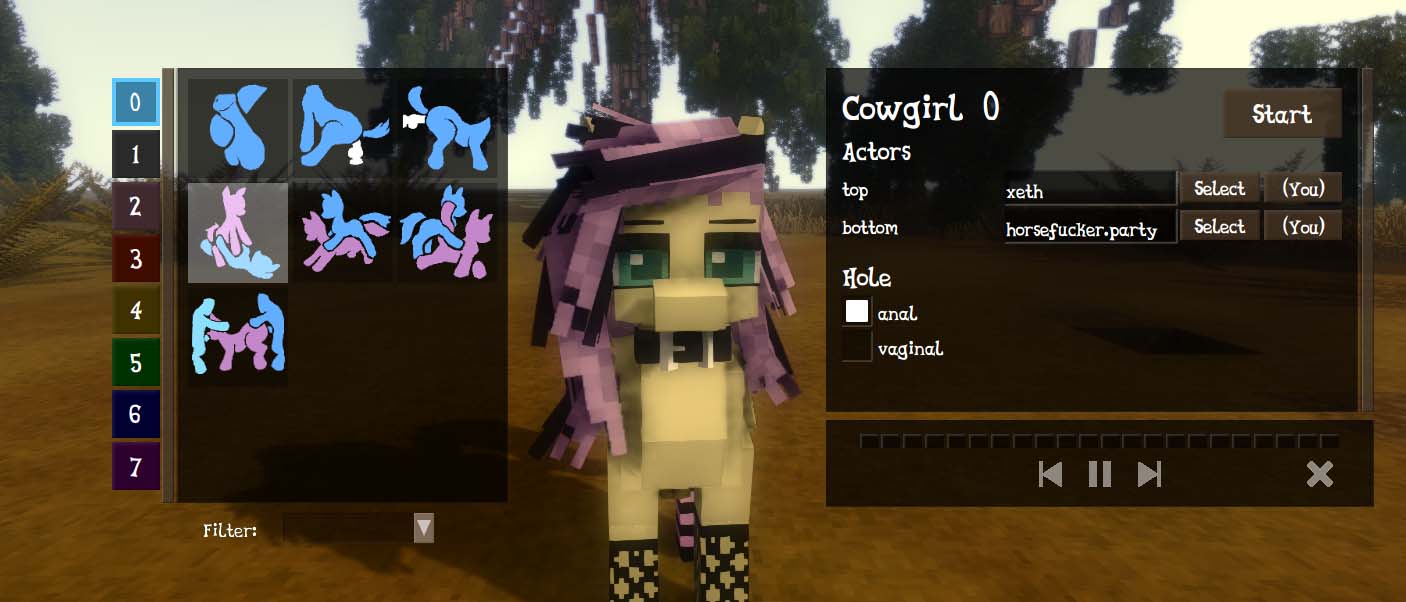
1. Open interaction gui, default hotkey [CTRL + R]
2. Select interaction from gallery on left, fill in config on right
Look at a player or npc and press [SELECT] button in config on right to choose it.
Hint: hold [ALT] when gui open will let (you) be able to move your mouse, which can make selecting others easier.
3. When done configing, press START on the top right
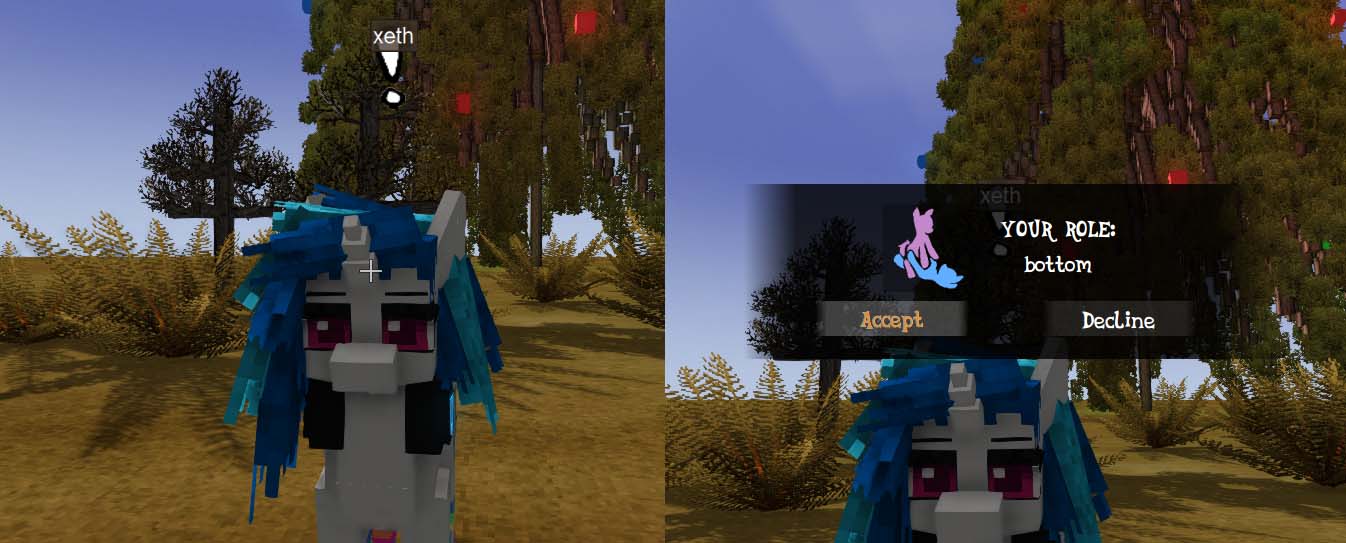
4. (you) will send out interaction requests to players. They will see an exclamation ! above (you)
5. Other players must RIGHT CLICK the exclamation mark ! and open the CONSENT gui and ACCEPT
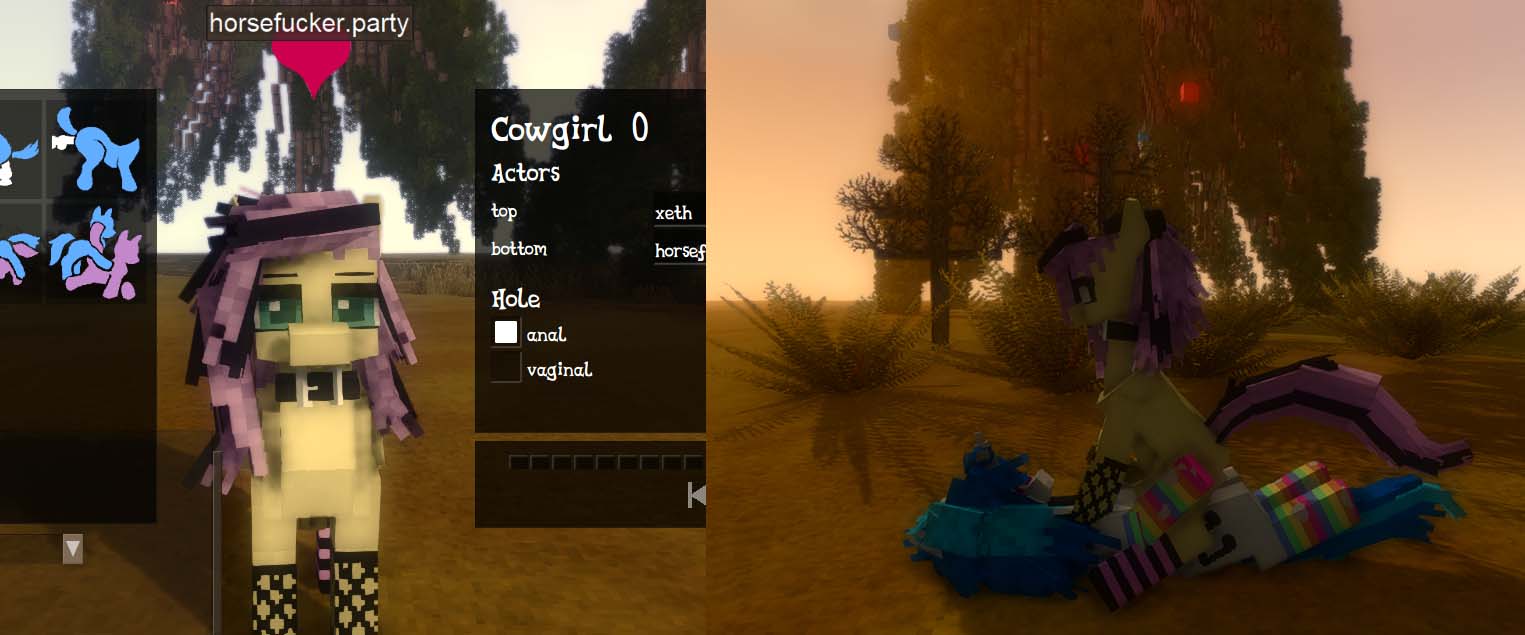
6. (you) will see a ♡ (ACCEPTED) or X (REJECTED x,x) emote above the other player head
7. Animation will begin 2 seconds later
8. Whoever initiated interaction will be able to control animation with the play/pause/forward/reverse controls
interaction slots (numbers on left side)
used for controlling multiple interactions, e.g. player and npc-npc interactions. probably won't need to use unless (you) are making a big scene with npcs
interaction filters dropdown
like booru tags
visual glitches in fp mode
if fp mode has glitches like body not appearing, type
.skinreload
(vintage engine has problems going from 3rd to 1st person mode, .skinreload should cleanup, may have to use whenever swapping to immersive fp mode)
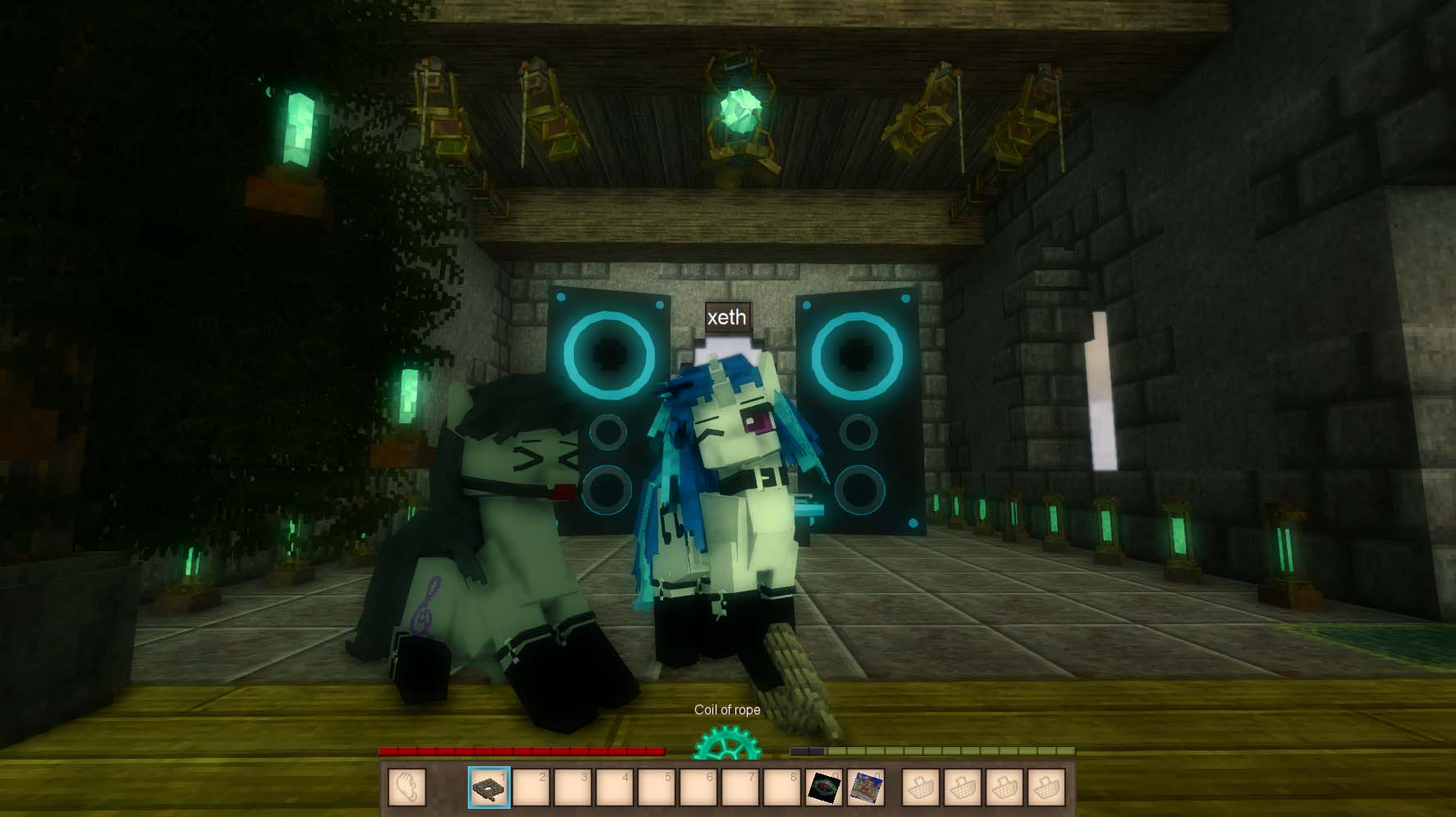
[kino] commands
Spawn npc specified by name. Built-in ones for testing: anon, applebottom, bigmac, braeburn, carepackage, chrysalis, octavia, soarin, trixie
Use this to open character editor dialogue for npc you are looking at. Can use this to add parts to npcs. Also works on dragon dildos.
Use this to open emote dialogue for npc (you) are looking at.
Kill npc you are looking at
Make npc look at me you
Make npc you are looking at move to you
Make npc start or stop an animation by code
Make you start or stop an animation by code
Use with `debugaction` item, bind an action to item so when you hold it you use that animation
Use with `debucamera` item. Binds current camera position to item. When right click, you will teleport back to that position and camera angle.
Use with `debugemote` item (called `Emote[0]`, `Emote[1]`, etc.). Binds emotes by code into the item. Then when you right click, the item, the emotes will toggle on/off.
On client side, stops animations, stops particle sources. For debug or cleanup animations that did not stop properly...
[marecock] cute clothes
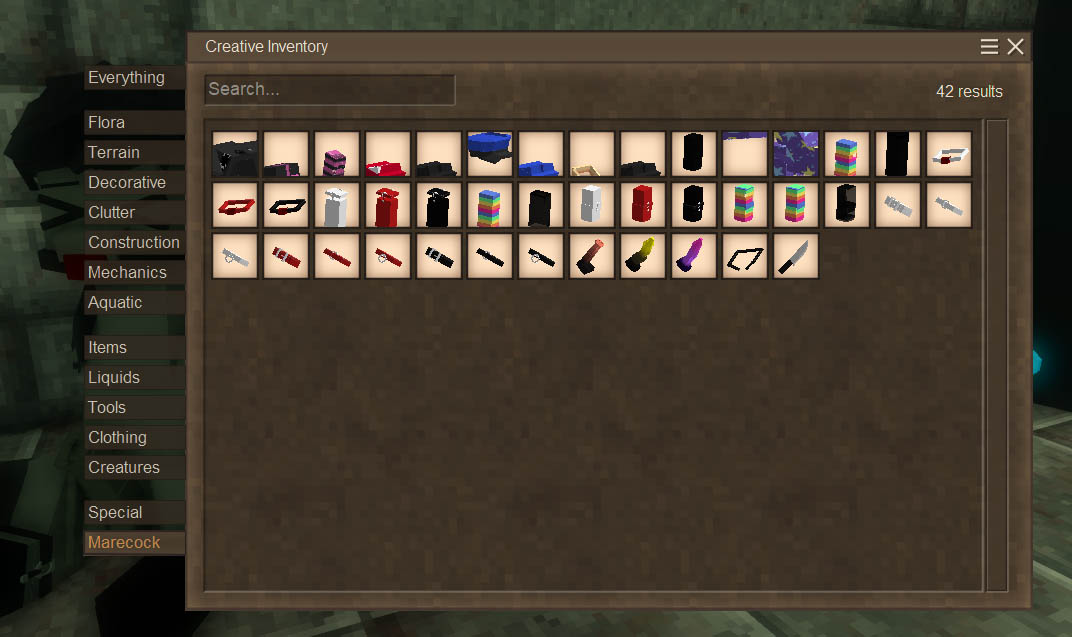
cute clothes and props in the "Marecock" category tab in Creative inventory, have fun
(can somepony make loot table patches to put clothes into ruins & better ruins treasure chests plsssss x3)
[kino] animation sequence file format (wip)
animation sequences are a format to play a series of animations coordinated between multiple entities called "actors". this can start/stop animations and do other actions like position tracking, particles, and in future sounds
Example:
/assets/marecock/interaction/doggya.toml
# (REQUIRED) Unique code for this animation sequence
code = "doggya"

# (REQUIRED) List of actors participating in this animation sequence
actors = [
    { code = "top", model = "horse0" },
    { code = "bottom", model = ["horse0"] },
]

# (OPTIONAL) List of options for configuring actions that will play
# during this animation sequence
options = [
    { code = "hole", values = [ "anal", "vaginal" ], default = "anal", required = true },
]

# Below are action nodes which will play sequentially as defined

# EXAMPLE of an action node
# The first defined action node will be the first to play
[doggya_start]
time = 7
actions = [
    { action = "positionrelativetoactor", args = { actor = "top", target = "bottom", x = 0, y = 0, z = 0 } },
    { action = "rotateabsolute", args = { actor = "top", yaw = 1 } },
    { action = "rotateabsolute", args = { actor = "bottom", yaw = 1 } },
    { action = "animationplay", args = { actor = "top", name = "doggya.start.top", speed = 1, ease_in = 10, ease_out = 2 } },
    { action = "animationplay", args = { actor = "bottom", name = "doggya.start.bottom", speed = 1, ease_in = 10, ease_out = 2 } },
    { action = "trackposition", args = { master = "top", slave = "bottom" } },
    { action = "trackyaw", args = { master = "top", slave = "bottom" } },
]


[doggya0]
time = 3
actions = [
    { action = "positionrelativetoactor", args = { actor = "top", target = "bottom", x = 0, y = 0, z = 0 } },
    { action = "animationstop", args = { actor = "top", name = "doggya.start.top" } },
    { action = "animationstop", args = { actor = "bottom", name = "doggya.start.bottom" } },
    { action = "animationplay", args = { actor = "top", name = "doggya.0.top", speed = 1, ease_in = 4, ease_out = 10 } },
    { action = "animationplay", args = { actor = "bottom", name = "doggya.0.bottom", speed = 1, ease_in = 4, ease_out = 10 } },
]

# ... additional action nodes would go here ...

[doggya_end]
time = 0.1
end = true
actions = [
    { action = "particlesourcestop", args = { actor = "top", name = "bottom.dripbutt" } },
    { action = "particlesourcestop", args = { actor = "bottom", name = "bottom.drippenis" } },
    { action = "particlesourcestop", args = { actor = "bottom", name = "top.drippenis" } },
    { action = "animationstop", args = { actor = "top", name = "doggya.rest.top" } },
    { action = "animationstop", args = { actor = "bottom", name = "doggya.rest.bottom" } }
]
[kino] interaction file format (wip)
interactions are a wrapper around an animation sequence, with extra metadata for gui
Example:
/assets/marecock/interaction/doggya.toml
# (REQUIRED) Unique code for this interaction
code = "doggya"

(REQUIRED) Animation sequence code to play
animation = "doggya"

# (OPTIONAL) Display name shown in the interaction menuanimation = "doggya"
name = "Doggy A"

# (OPTIONAL) Icon asset path for interaction gui.
# Note this will automatically add textures/ prefix and .png extension,
# e.g. below will load 'assets/marecock/textures/icon/doggya.png'
icon = "marecock:icon/doggya"

# (OPTIONAL) List of filter tags in interaction gui
tags = [ "duo", "horse" ]
[kino] npc file format (wip)
npc are npc kemono entities that can participate in interaction animations. i dont have any friends so i have to rp with these
Example:
/assets/marecock/npc/applebottom.toml
# (REQUIRED) Unique code for this npc
code = "applebottom"

# (OPTIONAL) Display name of the NPC on entity tag and info
name = "Apple Bottom"

# (OPTIONAL) Hide nametag completely
nametag_hidden = true

# (OPTIONAL) Only show nametag when looking at the entity
nametag_only_when_targetted = true

# (OPTIONAL) Max distance to see nametag
nametag_range = 10

# (REQUIRED) Kemono model preset .json name in 'assets/[mod]/modelpresets/'
# Way to create these is to use '.charsel', make your skin, save skin,
# then copy paste the skin from '/Mods/kemono/applebottom.json' into
# the folder 'assets/[mod]/modelpresets/applebottom.json'
model = "applebottom"

# (OPTIONAL) Dialogue code for dialogue to run when right click npc
dialogue = "applebottom"

# (OPTIONAL) Maximum distance before npc is teleported back to
# its spawn location. If not specified, npc can be moved freely.
leash = 2.0

# (OPTONAL) Set to false to disable entity gravity
gravity = true
[kino] dialogue file format (wip)
dialogue format for talking with npcs like a visual novel like bfed or dark souls
Dialogues are fully server side and sent to client. You can update dialogues and re-update them on npcs using "/kreload d n" without needing a server restart.
Example:
/assets/marecock/dialogue/trixie3.toml
# (REQUIRED) Unique code for this dialogue
code = "trixie3"

# (OPTIONAL) Max distance player can be from npc to continue dialogue
range = 4

# (OPTIONAL) If true, npc will turn to face player when talking
face_player = true

# (OPTIONAL) Dialogue node to run when player cancels or leaves
cancel = "cancelled"

# (OPTIONAL) Permission role that commands are called with, default admin
# Note dialogues are SERVER SIDE, created by SERVER ADMIN, so by default
# commands simply get permission level of the server admin = "admin".
# permission = "admin"

# =========================================================
# BELOW CONFIG ARE DIALOGUE "NODES"
# Dialogue is a sequence of nodes, each node can do:
# 1. Run server commands
# 2. Show text to player
# 3. Show options for player to choose,
#    options can also be conditioned on a server command
#    (implemented, will fully document later, partially described below)
# 4. Go to a next node
# =========================================================

# the first node defined will be the starting node
[intro]
commands = [
    "/knpcanim start dancehardstyle {npc.id}",
]
text = [
    "Hey, HEY!!! ARE YOU ASLEEP?",
    "C'mon! Answer the GREAT TRIXIE!!!",
]
next = "talk1"


[talk1]
commands = [
    "/knpcanim stop dancehardstyle {npc.id}",
]
text = [
    "That's better",
    "Trixie shall start explaining the rules",
    "The spell that turns you into a pony lasts three days",
    "After that, you'll turn back to human",
    "Have a good time",
]
next = "talk2"

# ...

[talk3]
# ...
# no "next" specified, so dialogue ends here


# node that runs when cancelled, cannot reach otherwise
[cancelled]
commands = [
    "/knpcanim stopall {npc.id}",
    "/knpcemote stop ^_^ {npc.id}",
]
Dialogue commands can use special variable tokens that get replaced before running, this is so commands can reference the npc or player properties when running:
{player.name} -> player name
{player.id} -> player entity id
{player.uuid} -> player uuid
{player.xyz} -> player x y z coords
{player.yaw} -> player yaw
{player.roll} -> player roll
{player.pitch} -> player pitch
{npc.name} -> npc entity name
{npc.id} -> npc entity id
{npc.xyz} -> npc x y z coords
{npc.yaw} -> npc yaw
{npc.roll} -> npc roll
{npc.pitch} -> npc pitch
For example the command "/knpcanim stop dancehardstyle {npc.id}" will actually run something like "/knpcanim stop dancehardstyle 12345"
Dialogue option conditions (WIP)
You can specify a server command to run on each option to determine if it should be shown to the player. If the command returns TextCommandResult.Success it will be sent to player.
These conditions use the same variable processing as above.
This lets other mods hook into the dialogue system.
Example (none of these commands are real):
[intro]
text = [
    "I got my hooves on a book about TRANSFORMATION spells",
    "The GREAT Trixie can transform you to a unicorn or pegasus",
    "This spell is special, because it tricks the other ponies",
    "They won't notice if your wings/horn are suddenly gone",
    "So...",
    "What do you want?",
]
options = [
    { condition = "/playerhasnowings {player.id}", text = "Wings", next = "wings" },
    { condition = "/playerhasnohorn {player.id}", text = "Horn", next = "horn" },
    { condition = "/playerhaswingorhorn {player.id}", text = "Earth pony", next = "mudpony" },
]
TODO: it is planned for [kino] to include some server commands to check watchedattributes, player parts, other basic things
Other mods can make chat commands for this